AI RESTORATION ENGINE
Instant Clarity. Zero Effort.
Turn blurry, noisy, or pixelated photos into crystal-clear assets. Our neural network reconstructs missing details in one click.
Stop deleting your 'bad' shots. Whether it's a motion-blurred selfie or a grainy night photo, our AI analyzes and rescues your images instantly.


Rescue Your Photos
Advanced algorithms for every scenario. Slide to see the reconstruction power.
Images generated by free users will have a watermark
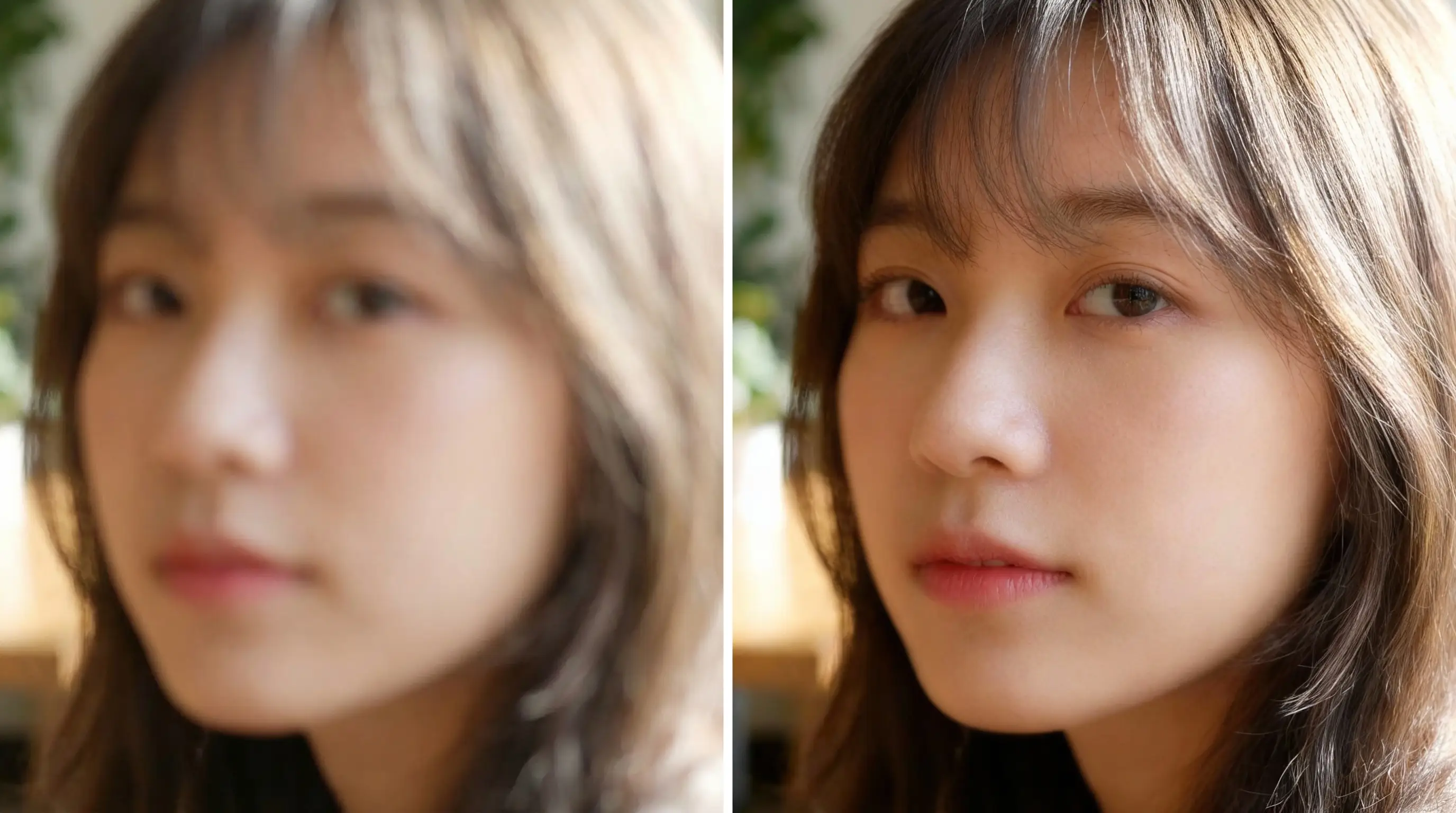
Face Recovery
Restore facial details, sharpen eyes, smooth skin texture, remove motion blur
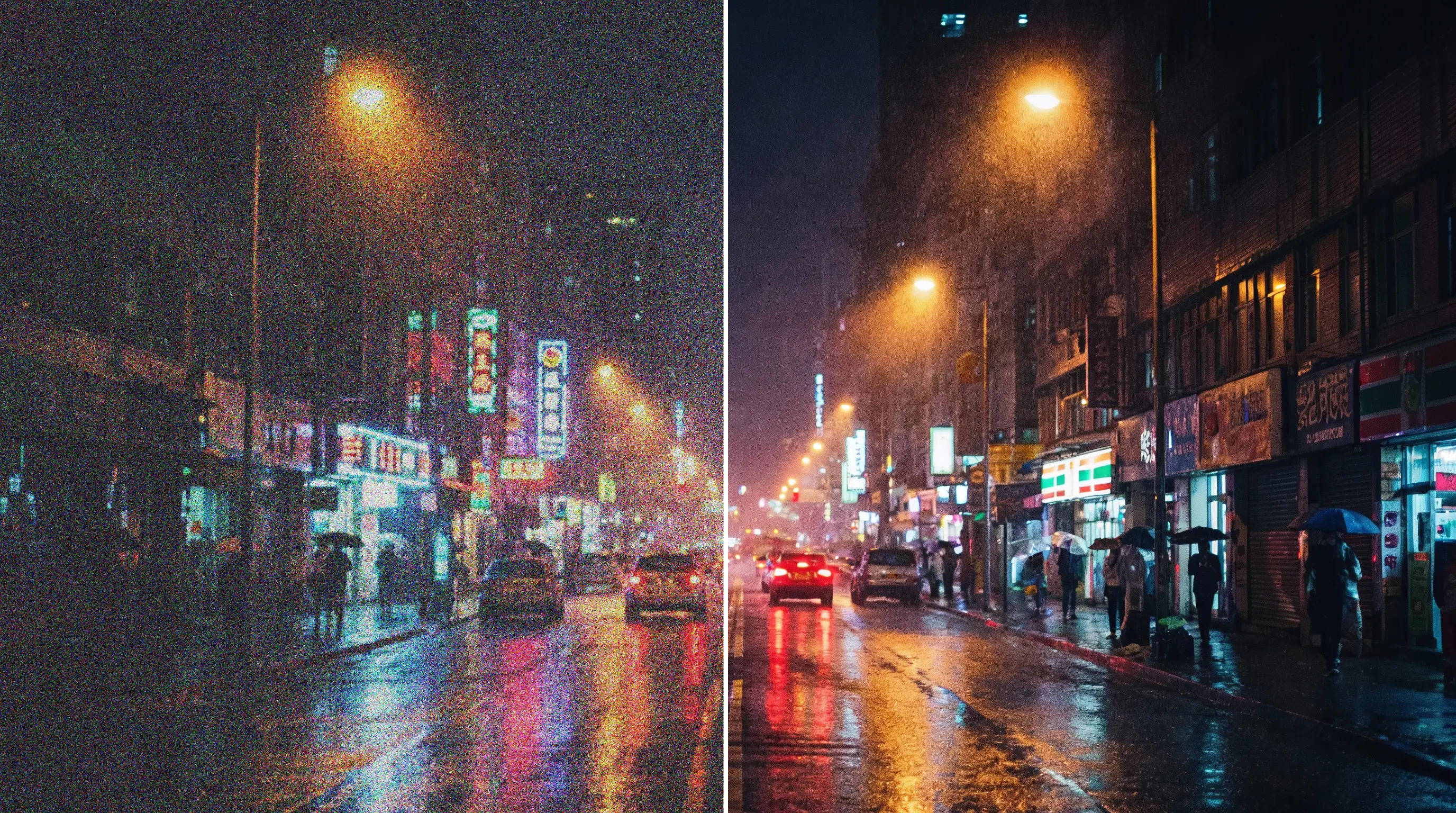
Denoise & Night Mode
Remove digital noise, enhance low light, clarify details, maintain atmosphere
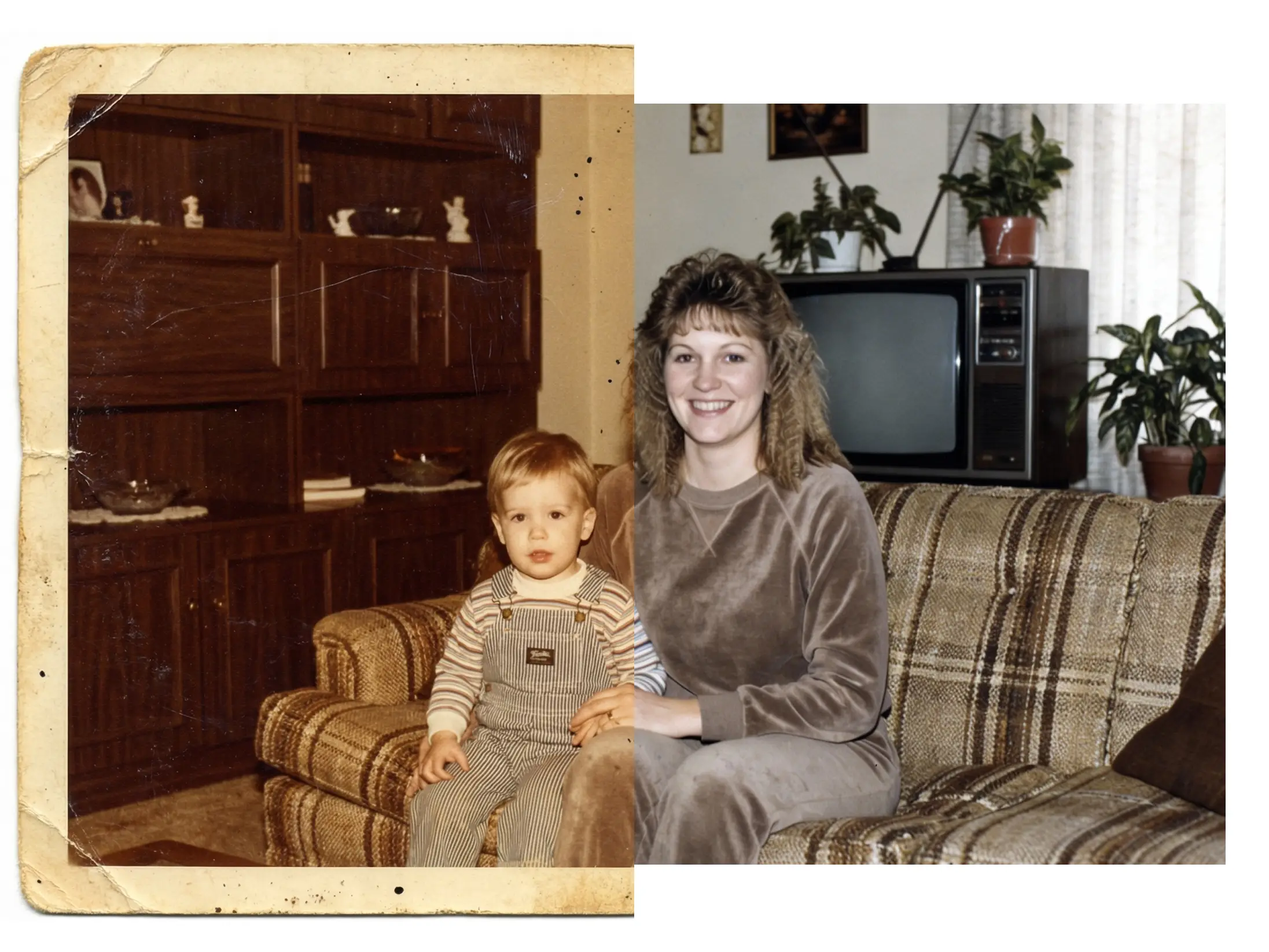
Old Photo Restoration
Remove scratches, fix tears, colorize, sharpen, restore vintage photo
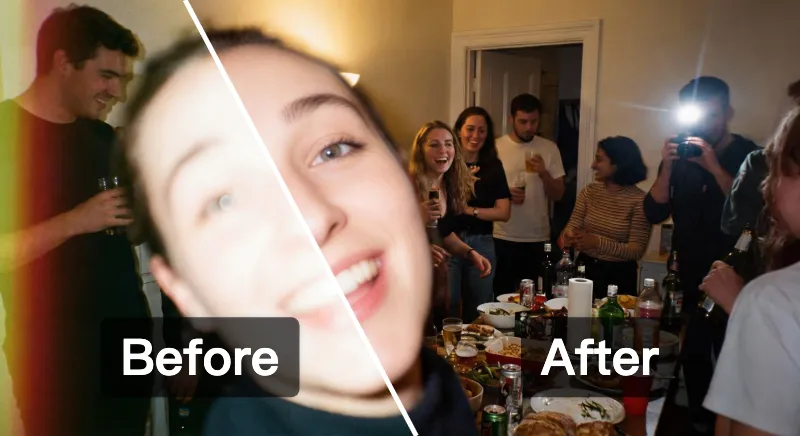
Fix overexposed photos
Heal overexposed faces, supplement missing facial details of people.
INTELLIGENT PROCESSING
Why Choose AI Enhancement
The gap between a wasted shot and a perfect photo is just one click.

Detail Reconstruction
Our AI doesn't just sharpen—it intelligently rebuilds lost details. Edges become crisp, textures become defined, and soft areas gain new clarity through neural reconstruction.

Face Reconstruction
Recover out-of-focus faces in group shots. The engine understands facial geometry, restoring eyes, skin texture, and sharpness naturally.

Deep Learning Denoise
Remove grain and artifacts from low-light photos. Unlike traditional filters that blur details, our AI differentiates between noise and texture.

Rescue & Recover
Don't delete your memories. Whether it's an old damaged print or a blurry candid moment, bring it back to life with professional-grade clarity.
SUPPORT
Common Questions
Everything you need to know about rescuing your photos.
We support GIF, JPG, WebP, and PNG formats.
Each image must be under 10MB, with a maximum resolution of 4096×4096 pixels (16MP). Aspect ratios from 1:16 to 16:1 are supported. You can upload up to 14 images at once.
Yes. You can configure the output resolution in "Output Settings" to meet different needs, from social media to professional printing.
Typically 10-20 seconds per image. Processing time varies based on output resolution and generation settings.
Yes. Our AI detects and reduces motion blur to improve clarity. Results depend on blur severity—slight to moderate blur typically shows the best improvement.
Yes. Our AI identifies and fills in scratches, creases, and faded areas. For best results, ensure your photo has enough surrounding context for the AI to reference.
Our AI analyzes visible facial features and surrounding context to intelligently rebuild damaged or unclear areas. The more original detail remains, the better the result.
No. Our deep learning denoising distinguishes between noise and real details, removing grain while preserving textures.
Try adding a custom prompt to guide the AI. Results improve when photos have more visible context for the AI to work with.
Join thousands of users who are saving their favorite memories from the trash bin.
Don't Let Bad Photos Stay Bad
Upload your first image now and see the difference AI makes instantly.
Premium Quality Guarantee
AI-Powered ClaritySecure Processing

